description Technical Brief

CTO Technical Brief

Architecture, integration, security, and performance - everything your engineering team needs to evaluate Jingle.

Prepared by Minutes Network FZ-LLC for engineering evaluation

androidAndroid SDK routeTier 1 CLI routing lockTLS 1.3 signalling deployed_code~3-10MB
01 / Executive Technical Summary

Executive Technical Summary

summarize

Jingle is a lightweight Android plug-in that enables your mobile application to function as an international voice termination endpoint within Minutes Network's carrier infrastructure. Incoming international calls are routed via SIP/VoIP through opted-in users' devices, generating wholesale voice termination revenue that is shared with you - the app partner.

This document provides the technical detail your engineering team needs to evaluate integration feasibility, architecture compatibility, and security posture.

02 / Architecture Overview

Architecture Overview

Three-layer system from client SDK through Minutes Platform to global carrier interconnections.

smartphone
Client-Side

Jingle Plug-In

  • - Lightweight Android library (3-10MB footprint)
  • - Runs as a foreground service with low battery use
  • - Handles SIP session establishment, audio codec negotiation, and call quality monitoring
  • - Implements consent management, permission handling, and opt-in/opt-out state
  • - Communicates with Minutes Network's SIP infrastructure over TLS
dns
Server-Side

SIP Infrastructure

  • - Proprietary SIP core - SIP proxy/registrar handling call routing and load balancing
  • - Proprietary media gateway - codec transcoding and call bridging
  • - Dynamic LCR Engine - AI-driven Least Cost Routing across interconnections with the international voice carriers
  • - Automated Settlement - Transparent, verifiable revenue settlement with full audit trail
public
PSTN

Carrier Interconnections

  • - AI-driven Least Cost Routing across the international voice carriers
  • - Notable interconnections: IDT Corporation (NYSE: IDT, $1.2B revenue, 30+ years) (IDT FY2025 results), PCCW Global, Lebara, World Mobile, and more
  • - 100% Tier 1 CLI routing - pure, unblended routes

Call Flow

call International Caller initiates call via Originating Carrier
arrow_downward
dns Minutes Network SIP Platform receives call
arrow_downward
route Dynamic LCR selects optimal route
arrow_downward
smartphone SIP INVITE to Jingle Plug-In on user's device (over TLS)
arrow_downward
phone_in_talk SDK establishes call session, audio routed through device to local mobile network
arrow_downward
payments Call completed - CDR generated - Revenue calculated - Settlement

Audio Codecs Supported

Codec Bitrate Quality Use Case
Opus 6-510 kbps
HD
Primary (adaptive bitrate)
G.722 64 kbps
Wideband
Fallback
G.711 u-law 64 kbps
Standard
Legacy compatibility
03 / Integration Specification

Integration Specification

Everything your engineering team needs to integrate the Jingle Plug-In.

Minimum Requirements

Requirement Specification
Android API minSdk 26 (Android 8.0 Oreo), targetSdk 35
Permissions RECORD_AUDIO, INTERNET, FOREGROUND_SERVICE, MANAGE_OWN_CALLS + more (see Step 2)
Dependencies None external (self-contained)
SDK Size 3-10MB (AAR)
Build System Gradle (AGP 7.0+)
R8 / ProGuard -keep class io.minutesnetwork.jingle.** { *; }
Step 1
settings.gradle.kts

Add Dependency

// settings.gradle.kts - private Nexus repository. Credentials are
// read from a gitignored properties file supplied during onboarding.
maven {
    url = uri("https://nexus.minutesnet.work/repository/maven-releases/")
    credentials {
        username = nexusProps.getProperty("nexusUsername")
        password = nexusProps.getProperty("nexusPassword")
    }
}

// app/build.gradle.kts
implementation("io.minutesnetwork:jingle-fullservice:5.6.0")
Step 2
AndroidManifest.xml

Declare Permissions

<!-- Core permissions - the full list ships with the SDK docs -->
<uses-permission android:name="android.permission.INTERNET" />
<uses-permission android:name="android.permission.FOREGROUND_SERVICE" />
<uses-permission android:name="android.permission.FOREGROUND_SERVICE_PHONE_CALL" />
<uses-permission android:name="android.permission.POST_NOTIFICATIONS" />
<uses-permission android:name="android.permission.RECORD_AUDIO" />
<uses-permission android:name="android.permission.USE_FULL_SCREEN_INTENT" />
<uses-permission android:name="android.permission.MANAGE_OWN_CALLS" />
<uses-permission android:name="android.permission.WAKE_LOCK" />

<!-- JingleService and ActiveCallService are declared by the SDK's own
     manifest with the correct foregroundServiceType - do not redeclare -->
Step 3
MainActivity.kt

Start the Service

// Gate on permissions, then start the foreground call service
private fun startSdkIfReady() {
    if (!JinglePermissions.check(this).allGranted) return
    JingleAdapter.getInstance(this).start(JingleStartParameters(
        serviceTitle = getString(R.string.call_service_title),
        notificationIconRes = R.drawable.ic_notification
    ))
}

// After SMS verification (Step 4), activate with the verified JWT
JingleAdapter.getInstance(this).activate(JingleActivationParameters(jwt))
Step 4
VerificationFlow.kt

Verify Consent & Activate

val jingle = JingleAdapter.getInstance(context)

// SMS one-time-passcode consent flow. The appId is assigned in the
// Partner Portal; both calls do network IO - keep them off the main thread.
val sessionJwt = jingle.sendSmsChallenge(phoneNumber, "your_app_id")
val verifiedJwt = jingle.verifySmsChallenge(sessionJwt, code)

// Activate the verified user, then register for push-to-call wakeups
jingle.activate(JingleActivationParameters(verifiedJwt))
jingle.setFcmToken(token)
Step 5
Permissions.kt

Permission Handling

// Required vs optional (e.g. READ_CONTACTS for caller names) runtime permissions
val required = JingleAdapter.getPermissionsList()
val optional = JingleAdapter.getOptionalPermissionsList()

// Re-check before every start - users can revoke from system Settings
val check = JinglePermissions.check(this)
if (!check.allGranted) launcher.launch(check.missing.map { it.id }.toTypedArray())

// The lock-screen call UI needs the full-screen-intent special access
if (!JingleAdapter.canUseFullScreenIntent(this)) JingleAdapter.requestFullScreenIntentPermission(this)

// Since 5.5.0, start() throws if a runtime permission was revoked mid-session
try { startSdkIfReady() }
catch (e: JingleMissingPermissionException) { launcher.launch(e.missing.map { it.id }.toTypedArray()) }

API Surface

JingleAdapter.getInstance()
Context-scoped singleton entry point
.start()
Starts the foreground call service (takes JingleStartParameters)
.activate()
Activates the user with the JWT from SMS verification
.deactivate()
User-facing opt-out - stops receiving calls
.setFcmToken()
Registers the device for push-to-call wakeups
.setCallEndedCallback()
CallEndedEvent fired once per call, on the main thread
JinglePermissions.check()
Audits runtime permissions (.allGranted / .missing)
.handleFcmMessage()
Returns true when the plug-in consumed the push (call first in your FCM service)

Event Callbacks (Optional)

App.kt
// Register in Application.onCreate so the call lifecycle works even
// when no Activity is bound (e.g. answers from the lock screen).
// The SDK replays cached state synchronously on registration.
override fun onCreate() {
    super.onCreate()
    val jingle = JingleAdapter.getInstance(this)

    // Fires exactly once per call, on the main thread
    jingle.setCallEndedCallback { event: CallEndedEvent ->
        recordCall(event)  // carries the CallOutcome
    }

    // Auth lifecycle - drive re-verification UI from here
    jingle.setAuthStateCallback { state: AuthState ->
        onAuthChanged(state)  // AuthFailureType on failures
    }

    // Push-to-call wakeup progress (WakeStage) for diagnostics
    jingle.setWakeStageCallback { event: WakeStageEvent ->
        trace(event)
    }
}

CallEndedEvent public fields: callId, callerNumber, durationMs, startTimeMs, answered, and outcome (CallOutcome.ANSWERED / REJECTED / FAILED).

04 / Security & Privacy

Security & Privacy

Data minimisation by design. Encrypted signalling, ephemeral audio, and continuous monitoring.

Data Collection (Minimal)

Data Point Purpose Storage
Audio (ephemeral) Call routing Real-time only, never stored
Device network type Route optimisation Session only
Country (from verified number) Geographic routing Session only
Call quality metrics QoS monitoring Aggregated, 30 days
SDK state/errors Diagnostics Aggregated, 7 days

verified_user NOT Collected

Personal data, contacts (the optional READ_CONTACTS permission is used only to display saved names on the incoming-call screen - contacts never leave the device), messages, browsing history, precise location, device identifiers (beyond anonymous session tokens), audio recordings (audio is processed ephemerally for real-time call routing and never stored).

lock

TLS 1.3

All SIP signalling encrypted with the latest TLS standard.

graphic_eq

Ephemeral Audio

Call audio is processed in real time for routing, never recorded or stored; calls hand off to Tier 1 carrier (PSTN) networks.

cable

Secure Transport (TLS)

Plug-in-to-network signalling runs over TLS - there is no unencrypted control channel.

database

AES-256 at Rest

At-rest data uses AES-256 encryption on all server-side storage.

Compliance

policy

GDPR

Data Processing Agreement (DPA) provided. Data minimisation by design. Right to erasure supported.

play_circle

Google Play

Prominent disclosure templates. Accurate Data Safety form responses. Feature-justified permissions.

monitoring

Partner Portal

Real-time revenue, minutes, opted-in users and call quality. Exportable reports from day one.

05 / Performance Impact

Performance Impact

Engineered for minimal impact - negligible battery, data, and CPU.

battery_horiz_075
<2%
Battery Drain
during active routing
network_check
30-50KB
Data Per Minute
Opus adaptive + SIP
storage
~15MB
Memory Resident
when active
memory
<3%
CPU Usage
avg during call handling
timer
<200ms
Startup Time
SDK initialisation
info

Data Usage in Context

At 8 minutes per month, total Jingle data usage is approximately 0.3-0.4MB - less than loading a single modern web page, watching a few seconds of video, or displaying one full-screen interactive ad. A single video ad typically consumes 2-5MB. Jingle's data footprint is negligible compared to virtually any other SDK or in-app content.

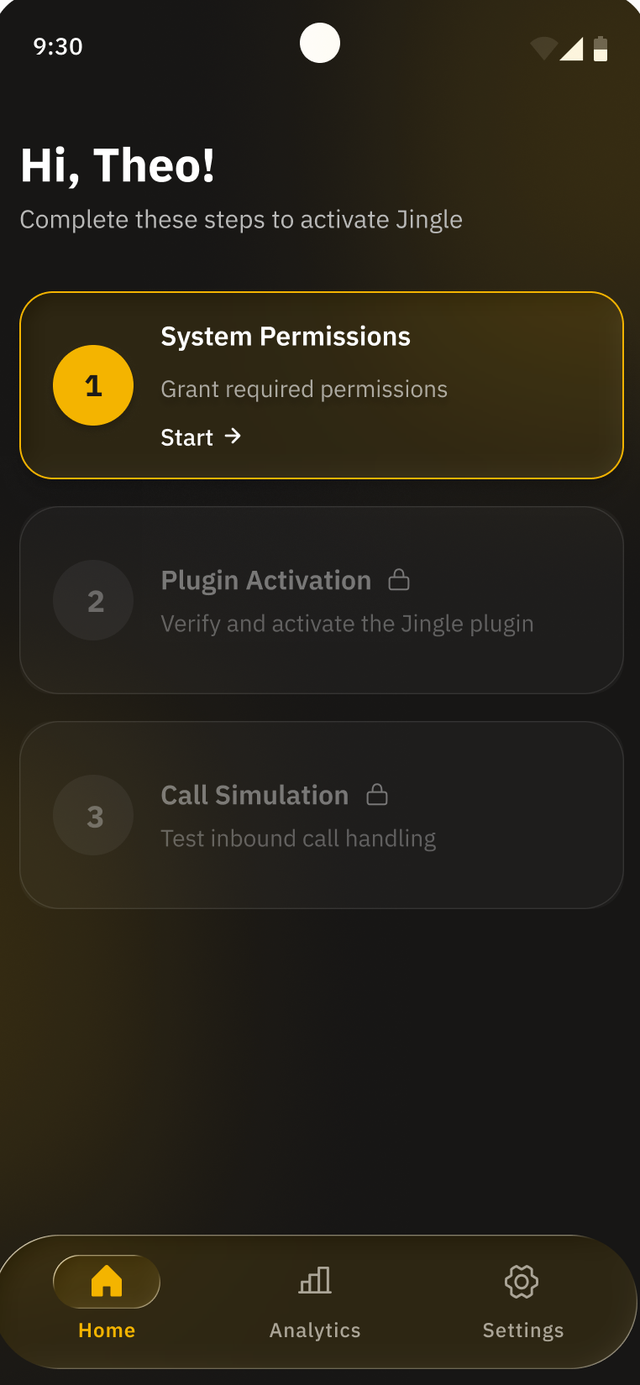
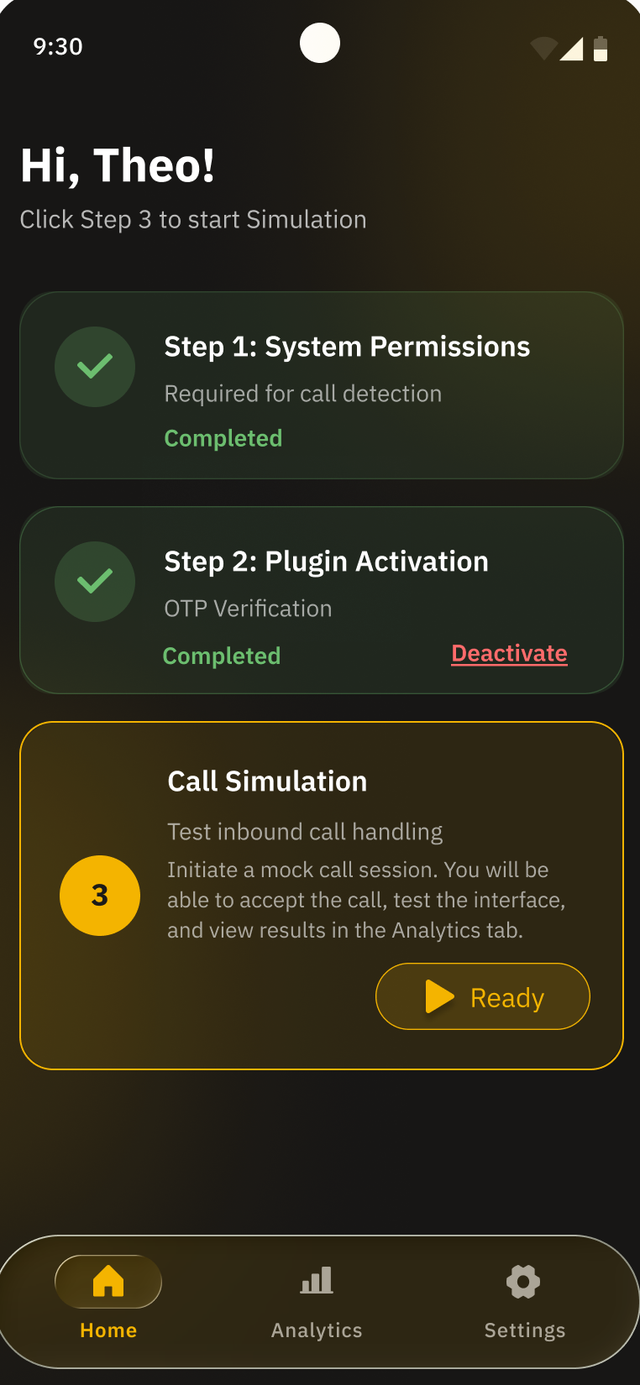
The plug-in uses the device's familiar call experience, with no extra Jingle screens for you to build. Users are informed up front via prominent disclosure and can turn Jingle off at any time. The foreground-service notification is visible to the user and is customisable to match your app's branding.

06 / Call Delivery Modes

Call Delivery Modes

The plug-in uses a layered delivery model. An SDK-managed foreground service with a UDP wake path is the primary, most reliable way calls reach the device - and it runs independently of Google Mobile Services. Firebase Cloud Messaging is a fallback wake path on GMS devices. Each component has a distinct role.

notifications_active

Wake Path (UDP + FCM fallback)

The foreground service keeps a lightweight UDP wake path open so calls reach the device. Firebase Cloud Messaging is a fallback on GMS devices, handed to handleFcmMessage().

Why it matters: Near-zero battery cost while idle - the device is woken only when a call is actually routed to it
Diagnostics: Wake pipeline observable via WakeStageEvent
phone_in_talk

JingleService

Lightweight foreground service started by start(); its notification carries your serviceTitle and notificationIconRes.

Why it matters: Keeps call handling alive and visible to the OS
Branding: Notification is customisable to match your app's branding
mic

ActiveCallService

Runs only for the duration of a call; requests the phoneCall|microphone foreground service types at runtime.

Why it matters: Keeps the microphone alive across screen lock - calls survive the user locking their phone

Both services are declared by the SDK's own manifest (since 5.1.2) - partners never declare or manage them directly.

lightbulb

Recommendation for Emerging Markets

The most reliable delivery path is an Android foreground service with a UDP wake path: it keeps the device ready for calls and runs independently of Google Mobile Services. Firebase Cloud Messaging is a fallback on GMS devices. The plug-in activates only when a call is available, consuming near-zero battery when idle. Battery-aggressive OEMs - Xiaomi, Huawei, Oppo, Vivo and Samsung, which dominate South Asia, Sub-Saharan Africa and Southeast Asia - can suspend even a foreground service, so JingleAdapter.requestUnrestrictedBatteryPermissions(ctx) guides the user through the device's battery-optimisation screen to exempt the app, maximising call availability.

07 / Edge Cases & Technical Behaviour

Edge Cases & Technical Behaviour

How the plug-in handles every scenario your engineering team will ask about.

phone_in_talk

User Already on a Call

If a Jingle call is routed to a device that is already handling an active call (cellular or VoIP), the plug-in returns a 503 Service Unavailable response to the carrier. The call is automatically rerouted to another available user on the network. The end user is never interrupted or aware that a routing attempt was made.

dangerous

App Force-Closed or Crashes

The call session ends gracefully. The SDK detects the termination and releases the SIP session. Revenue is calculated for the minutes that were successfully routed before disconnection. There is no impact on the user's device.

android

Android 14+ Foreground Service Restrictions

Android 14 requires apps to declare a specific foregroundServiceType for all foreground services. The SDK's own manifest declares its services with the correct types - the in-call service requests phoneCall|microphone at runtime to keep the mic alive across screen-lock. The manifest merger provides these declarations automatically; partners must not redeclare them.

devices

Huawei / Non-GMS Devices

The Jingle Plug-In's core call routing (SIP signalling and media) does not depend on Google Play Services - and neither does the primary wake path, a foreground service with a UDP wake. Firebase Cloud Messaging (setFcmToken / handleFcmMessage) is an optional fallback that requires GMS-certified devices. The plug-in works on Huawei/HarmonyOS, Amazon Fire and other non-GMS fleets via the foreground-service wake path; your integration engineer confirms the right configuration up front.

code

Cross-Platform Framework Support

The core SDK is native Android (Kotlin). For apps built with Flutter, React Native, or other cross-platform frameworks, we can develop native bridge wrappers. Discuss your framework requirements during the intro call and we will scope this as part of your integration plan.

gavel

VoIP Regulatory Compliance

VoIP termination is legal and widely used in the vast majority of markets. A small number of countries restrict or prohibit VoIP services. The Jingle Plug-In is aware of these restrictions - users in restricted jurisdictions will not be connected. Minutes Network's routing infrastructure handles geographic compliance automatically, requiring no action from the app partner.

redeem

User Reward Models

Revenue is paid to the app developer. Developers can optionally share a portion with end users as: mobile data top-ups, in-app credits, premium feature unlocks, or any custom reward mechanism. In markets where data costs are a concern, rewarding users with data that exceeds Jingle's consumption creates a positive value exchange. The SDK provides callback events for revenue generation that partners can use to trigger reward flows.

08 / Google Play Compliance

Google Play Compliance

Full compliance framework for Google Play review.

visibility

Dual-Disclosure Requirement

Google Play requires that users are informed about all uses of a permission before it is requested (Google Play User Data policy). When integrating Jingle alongside a voice feature (e.g., voice search), the app must present a prominent disclosure that explains both:

1 Voice Feature

"Voice Search lets you find products by speaking"

2 Jingle Call Routing

"This app also participates in the Jingle network, receiving international calls on your device - which you can answer like normal calls - to generate revenue"

This disclosure appears before the system permission dialog. Users must affirmatively consent. Users can disable Jingle independently in Settings without losing the voice feature.

Minutes Network™ Provides:

Reference consent screen designs, template disclosure copy for every permission strategy, a comprehensive Google Play Compliance Guide, and a pre-submission compliance audit.

fact_check

Data Safety Form Responses

We provide exact field-by-field responses for the Google Play Data Safety form. Key declarations:

Audio data

Collected (call routing, processed ephemerally - never stored). Shared with Minutes Network as a real-time routing stream only; never sold or used for advertising. Optional (users can disable Jingle).

Country / region (from verified number)

Collected (call routing, country-level - derived from the user's verified phone number, no GPS or location permission). Shared with Minutes Network for geographic routing; never sold. Not optional.

Crash logs

Collected (diagnostics). Shared with Minutes Network. Optional.

admin_panel_settings

Permission Justification

Every permission request is tied to a visible user-facing feature (per Google Play policy). We provide eight documented strategies including the recommended In-App Call Overlay and In-App Customer Support Calling approaches.

support_agent

In-App Customer Support Calling

The Jingle Plug-In's SIP capability is bidirectional. This means your customer support team can call users directly inside your app via SIP - eliminating PSTN outbound call costs entirely. Users receive support calls within the app context, resulting in higher pickup rates and faster resolution.

mic

Requires the same mic permissions that enable Jingle revenue generation

savings

Eliminates outbound PSTN call costs for your support desk

thumb_up

Improves customer experience (calls arrive in-app, not from unknown numbers)

verified

One integration: support savings plus Jingle revenue

One plug-in integration delivers two financial impacts: support costs go down and termination revenue goes up.

09 / Integration Timeline

Integration Timeline

Go live at your pace with a dedicated integration engineer.

1

Kickoff

Step 1

Dedicated integration engineer assigned. Architecture review. Partner Portal access granted.

2

Integration

Step 2

plug-in integration. Permission strategy selection. Consent flow implementation.

3

Testing

Step 3

End-to-end call testing. Quality validation. Performance benchmarking.

4

Compliance Review

Step 4

Google Play Data Safety review. Permission audit.

5

Go Live

Step 5

Production deployment. Revenue monitoring via Partner Portal.

engineering

Support Model

Dedicated integration engineer (not documentation, not ticket queues). Direct communication channel. Revenue dashboard access from day one.

10 / Partner Portal

Partner Portal

Every partner receives access to the live Jingle Partner Portal from day one. Complete real-time visibility into all metrics.

payments

Revenue

Real-time earnings, daily/weekly/monthly totals, geographic revenue breakdown, per-minute rate by destination.

call

Call Activity

Live and historical call volume, call duration distribution, successful vs. failed routing, concurrent call capacity.

group

User Metrics

Total opted-in users, opt-in/opt-out rates, active vs. idle users, geographic distribution of opted-in base.

equalizer

Call Quality

MOS (Mean Opinion Score), jitter, packet loss, codec performance, call completion rates.

phone_android

Device Analytics

OEM distribution, Android version breakdown, call wake-pipeline performance (FCM wake-stage success by OEM).

download

Reporting

Exportable CSV/PDF reports, configurable date ranges, automated monthly summary emails.

The portal is accessible via web browser and provides the data needed for internal reporting, financial forecasting, and integration optimisation.

11 / Ready to Integrate?

Ready to Integrate?

Get your plug-in credentials within days of applying. A dedicated integration engineer will guide you through every step.