With or without existing microphone permissions - a practical guide for product and engineering teams considering Jingle integration.
"We love the revenue model, but our app doesn't currently use the microphone. How do we add mic permissions in a way users and reviewers clearly understand?"
This is a legitimate concern. Users and app stores scrutinise permission requests.
The good news: there are multiple proven strategies.
Easiest path. Just integrate.
Users get a real feature. Jingle runs alongside.
Users knowingly enable calls and earn rewards.
The simplest path. No new permissions needed - just a one-screen Jingle disclosure before activation, then integrate the plug-in.
WhatsApp-style messengers, Telegram clones, community apps - voice messages are standard
Multiplayer games with voice lobbies, team comms, or push-to-talk
Live streaming, video calls, conferencing - mic is fundamental
Any app with "tap to speak" or voice input already has permissions
Dialers, contacts apps, VoIP - obvious mic usage
Speech-to-text, voice navigation, assistive technology
Integration effort: minimal. No new permissions to request - but Google Play policy and our compliance guide still require a one-time Jingle disclosure and opt-in (e.g., an in-app modal or settings toggle) before activating the plug-in. Your integration engineer provides pre-approved disclosure copy.
When a user receives an incoming call, instead of pulling them out of your app, Jingle handles the call inside an overlay. The user answers without leaving their game, shopping session, or workflow.
This is a genuine UX improvement for users - and it naturally requires microphone permission (RECORD_AUDIO). No Phone-group runtime permission is needed: call-related capabilities are install-time permissions handled automatically by the plug-in's manifest merger.
Users get a feature they actually want - handling calls without leaving their app
Microphone permission makes perfect sense for an in-app calling feature - no Phone-group runtime permission is needed
Permissions are tied directly to a visible, user-facing feature - fully compliant
Users see immediate value, leading to significantly higher permission grant rates
Add a real feature your users will love - microphone access follows naturally.
Let users send voice notes instead of typing. Quick, personal, and increasingly expected in modern apps (TechCrunch).
Best for: Any app with user communication
Add social voice lobbies or team voice channels. Drives engagement and session duration.
Best for: Gaming, Social, Community apps
"Tap to speak" search or voice commands. Faster than typing (Stanford University) and increasingly expected by users.
Best for: E-commerce, Content, Utility apps
Let users leave audio reviews or voice feedback. More authentic and detailed than text reviews.
Best for: Marketplaces, E-commerce, Food
Biometric voice authentication for sensitive actions. High security with minimal friction.
Best for: Fintech, Banking, Security-focused
Voice-to-text input for accessibility compliance. Inclusive design that benefits all users.
Best for: All apps (a11y compliance)
Jingle ships the in-app call overlay UI plus reference designs and templates for voice messages and voice search to accelerate your integration.
Be honest with users. Let them choose to participate - and reward them for it.
How it works
For users who have explicitly opted in, your device receives short international voice calls you can answer like any normal call - you consent up front and can turn it off anytime. You earn credits for every minute routed through your phone.
What you earn
In-app credits, cashback, game currency, or loyalty points - your choice of reward type.
Easy to disable
Turn it off anytime in Settings. No commitments, no contracts.
Users earn premium currency, unlocking features or content within your app
Direct monetary value deposited into the user's in-app wallet or payment account
Coins, gems, extra lives, power-ups, or exclusive items within gaming apps
Points redeemable for discounts, products, or services within your ecosystem
Highest trust. Highest retention. Users become advocates.
Call Overlay + Customer Support Calling are recommended. Support Calling also eliminates outbound PSTN costs.
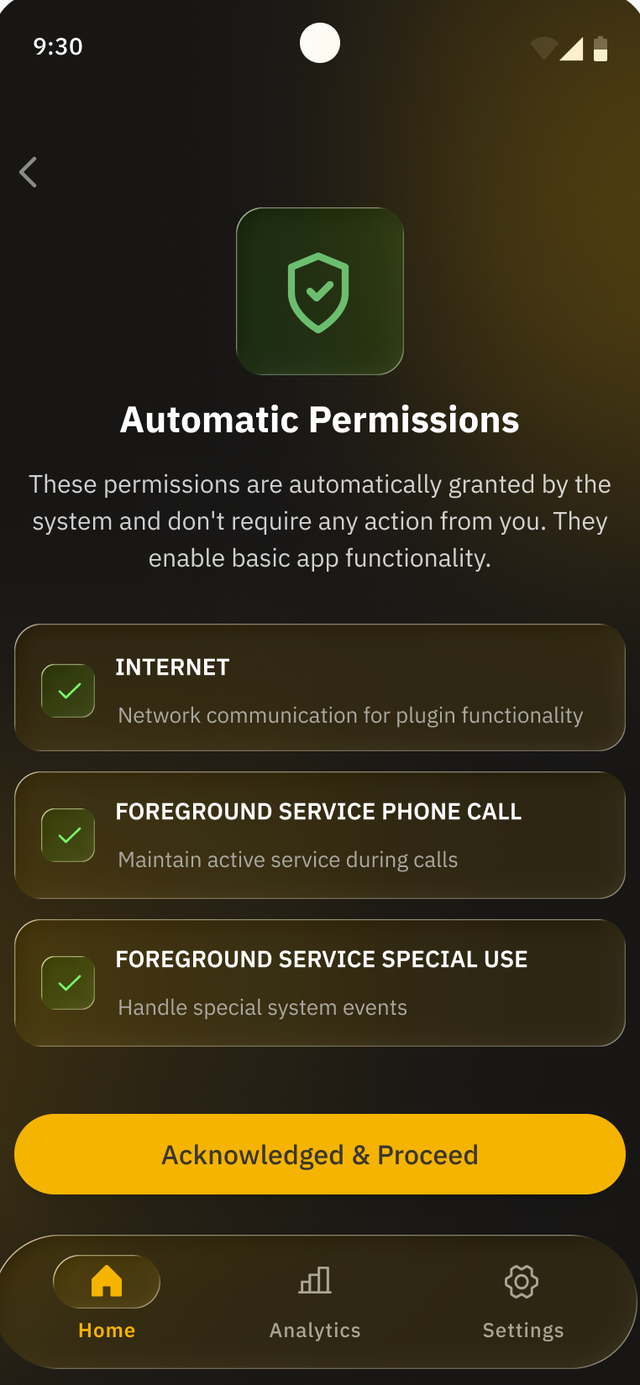
Regardless of which strategy you choose, here's how to stay compliant.
Jingle doesn't just hand you a plug-in and walk away. We provide everything you need for a smooth, compliant integration.
Pre-built customisable UI that handles incoming calls seamlessly within your app experience.
Voice message, search, and review components ready to drop into your app with minimal configuration.
Reference consent screen designs and template disclosure copy for permission requests and opt-in flows, aligned with Google Play policy.
A real person assigned to your integration from day one. Not a ticket queue. Not a chatbot.
Data Safety responses, permission justifications, and review appeal templates if needed.
Real-time earnings, opt-in rates, activation metrics, and geographic breakdown at your fingertips.
All of this is included. No extra cost. We succeed when you succeed.
Whether you already have mic permissions or need a feature to justify them, we'll help you design the perfect integration path.
See Jingle's in-app call overlay and consent flow in action - simulated inbound calls routed through the real plugin path, with a voice endpoint on answer.
Share your user numbers and we'll model your expected revenue.
Get paired with a dedicated integration engineer and go live as fast as your team can integrate.